
Co-Parenting App & Calendar
Custody calendar, shared expenses and a record you cannot edit. No ads.
Bientôt sur Google Play
iOS : bientôt disponible
Bande-annonce
Custody calendar, shared expenses and a record you cannot edit. No ads.
Custody calendar, shared expenses and a record you cannot edit. No ads.

Bande-annonce bientôt disponible
À propos de Sezarr Co-Parent
Sezarr Co-Parent is a co-parenting app with a custody calendar for separated parents. Pick a custody schedule, see tonight's parent, split the costs and keep a record that cannot be edited. It works on one phone with no account. Sharing is optional.
Parents often argue about dates, small bills and who said what. This co-parenting calendar app puts the child custody calendar, expenses and a dated record in one place. Follow your parenting plan day by day.
WHO IT IS FOR
- Parents with joint custody or shared custody who want one clear calendar.
- Parents who want a simple child custody app on one phone. It works alone if the other parent will not use an app.
- Parents with a schedule no template fits: build your own repeating pattern (Pro).
- Anyone who wants a custody tracker and a custody log in one custody app.
CUSTODY CALENDAR AND PARENTING SCHEDULE
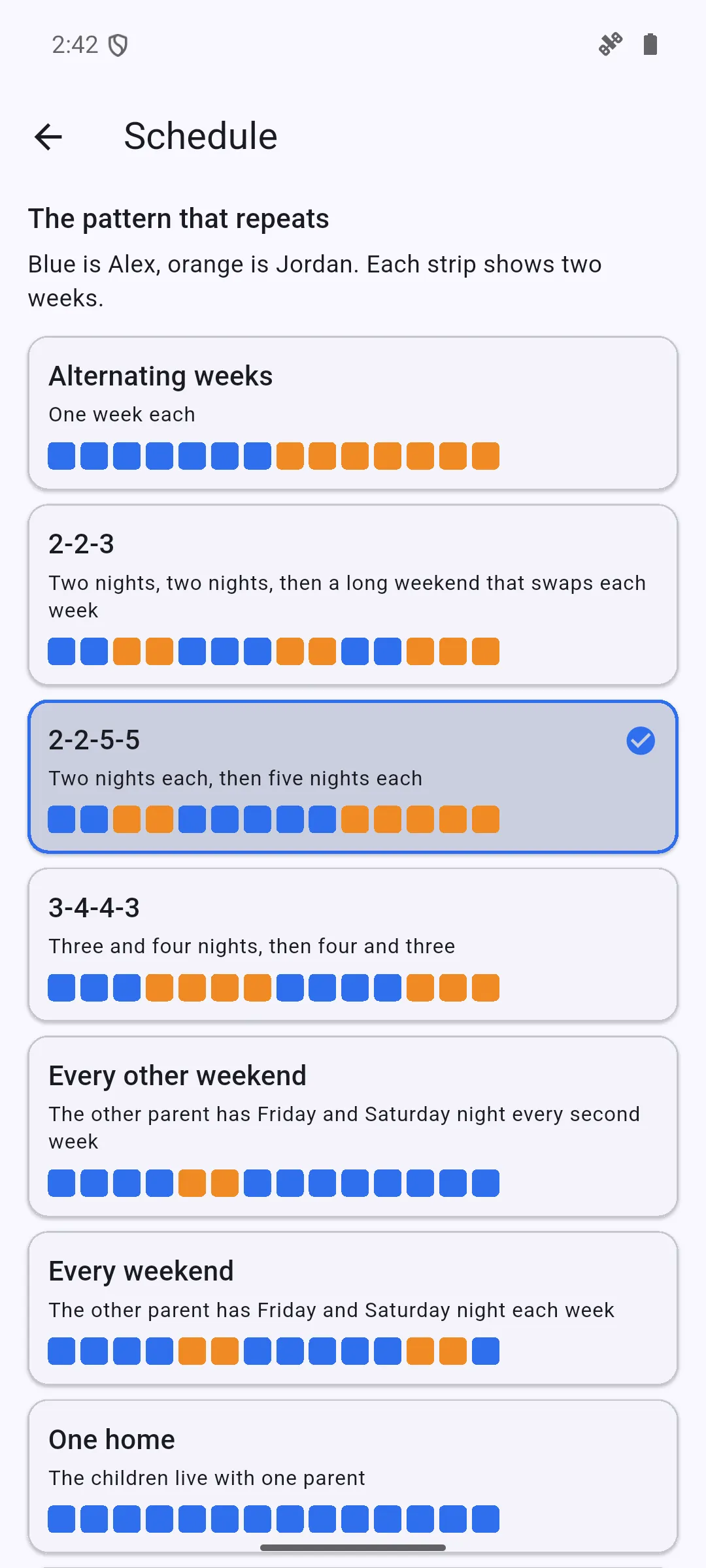
- Ready-made schedules: alternating weeks, 2-2-3, 2-2-5-5, 3-4-4-3, every other weekend and every weekend.
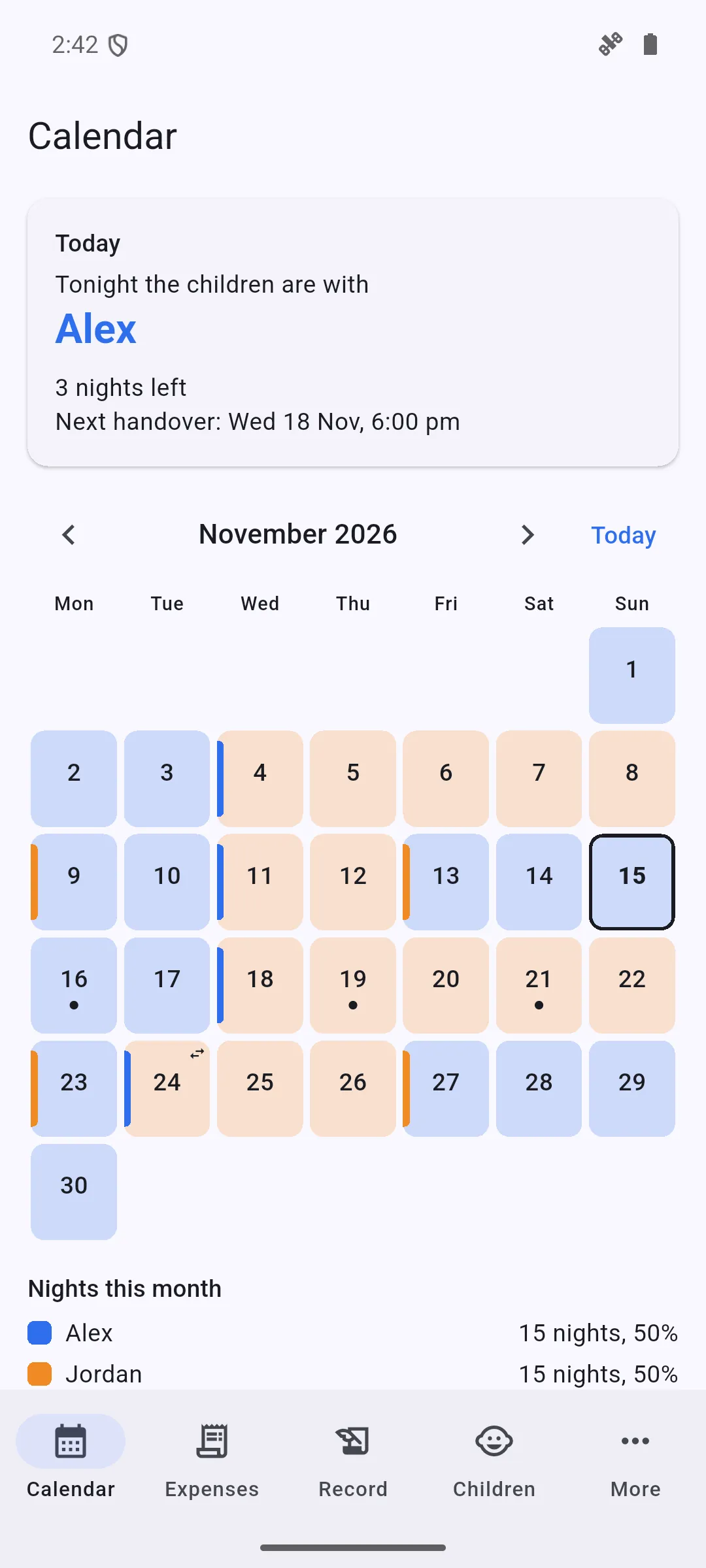
- Month view in two colors, so you see who has the children each night.
- Tonight's parent and the next handover up front.
- Swaps and school breaks and holidays: change one night or a whole school break without breaking the pattern.
- Events for school, doctor and activities: a family calendar app for two homes.
- A parenting time calendar and parenting time tracker: nights and time share per parent.
SHARED EXPENSES FOR THE CHILDREN
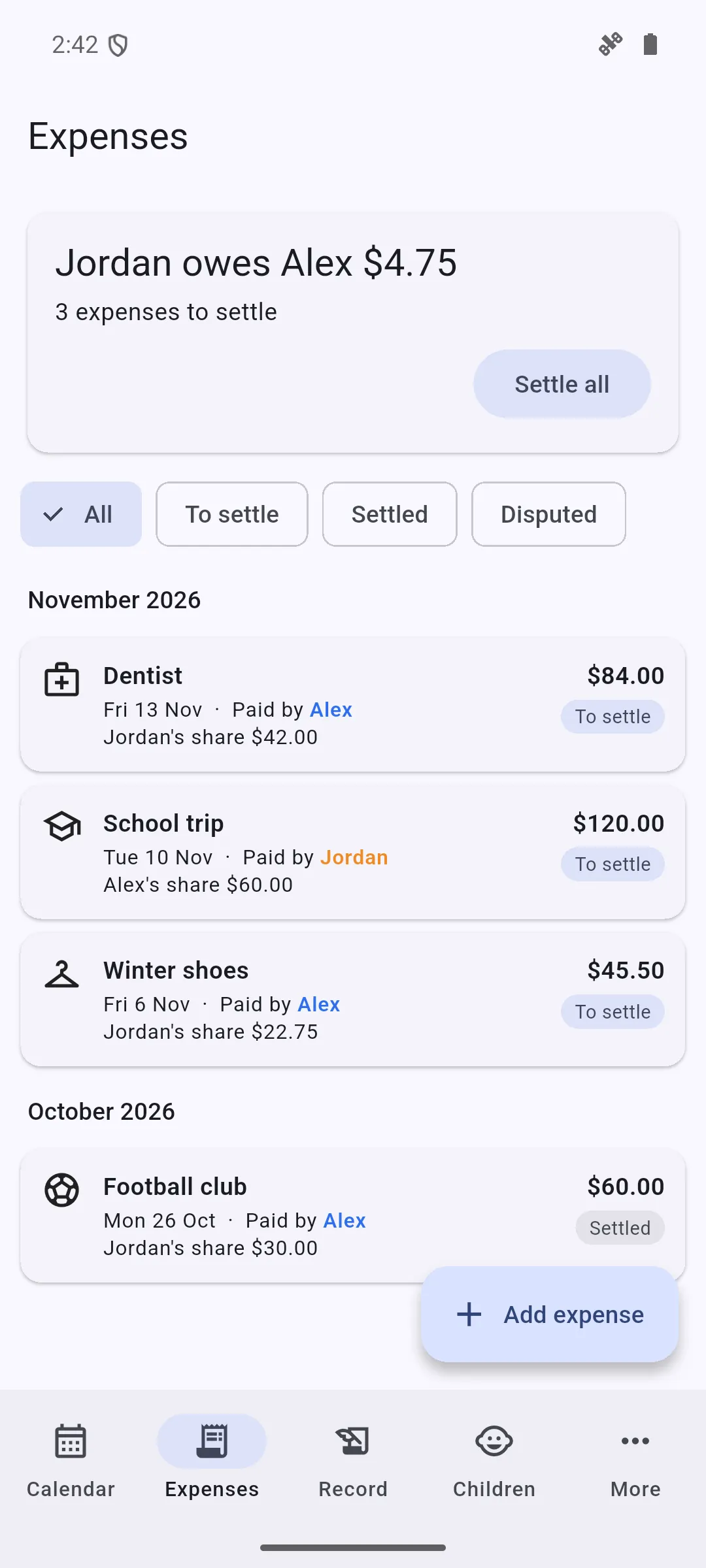
- Add an expense, say who paid and set the split in percent: 50/50, 60/40 or any split.
- See who owes whom at any moment. An expense split app for school, medical and activity costs.
- Mark each as to pay back, paid back or disputed. Receipt photos (Pro).
A RECORD THAT CANNOT BE EDITED
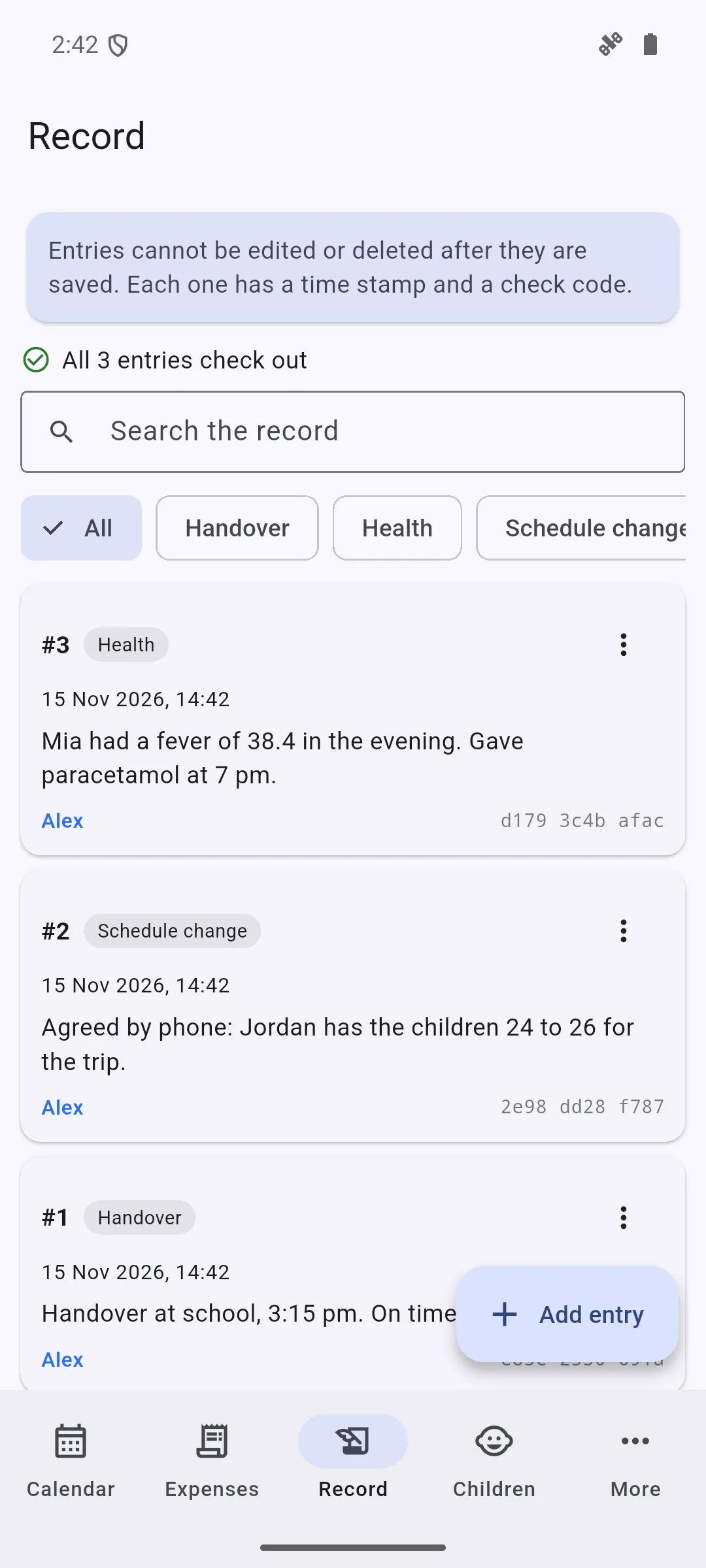
- Dated notes: handovers, late arrivals, calls, agreements.
- After you save a note it cannot be edited or deleted. Each note has a time stamp from your phone and a check code linked to the note before it, so the app can show if the chain changed.
- The record stays on your phone. It is not shared.
CHILDREN AND REPORTS
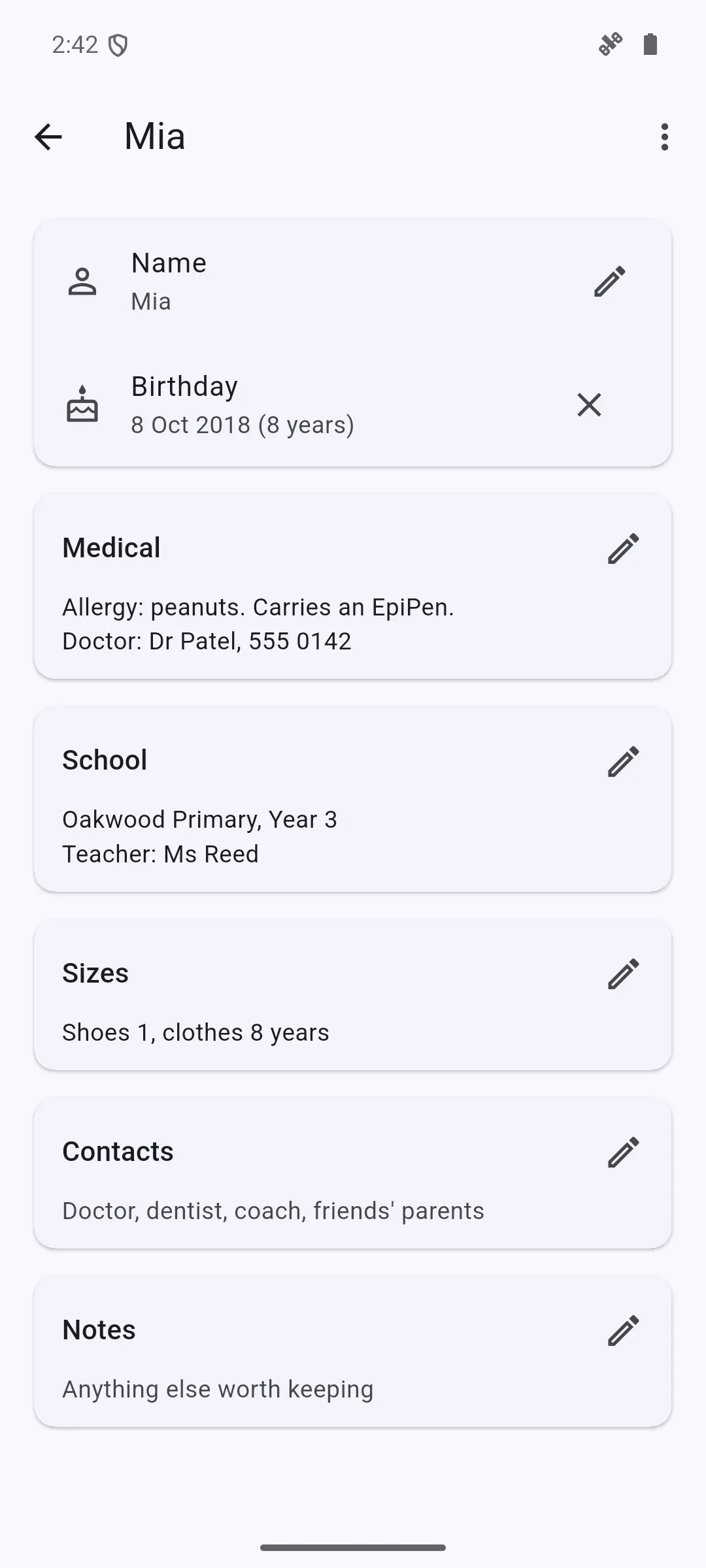
- For each child: medical notes and allergies, school, clothing and shoe sizes, contacts.
- PDF report for any dates (Pro): calendar, expenses and the record. A PDF you can give to your lawyer or mediator.
- Backup to a file, restore on a new phone.
SHARE WITH THE OTHER PARENT (OPTIONAL)
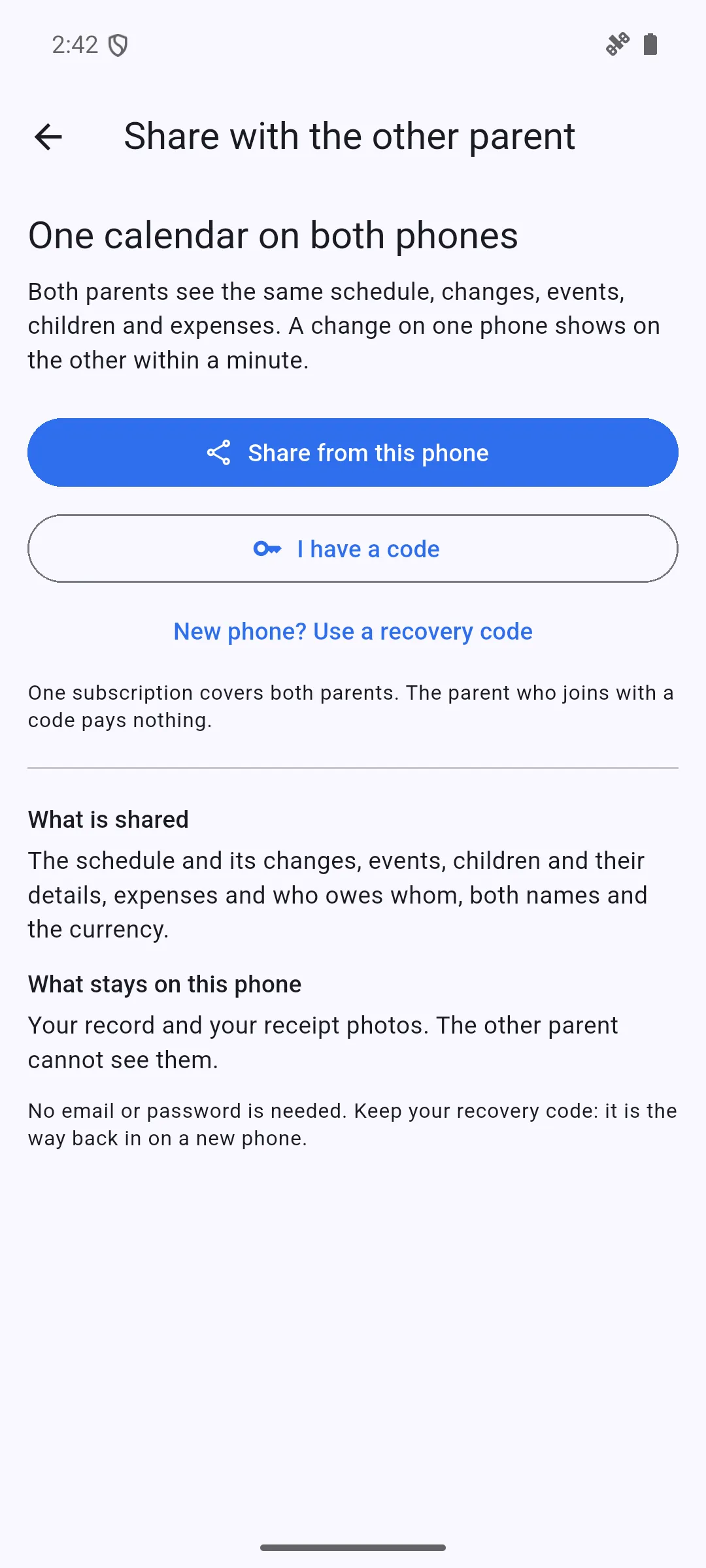
- One parent gets a code, the other joins with it. No email, no password.
- Both phones show the same calendar, events, children and expenses: a shared parenting calendar.
- One subscription covers both parents. The parent who joins pays nothing.
- Stop sharing at any time. Each phone keeps its own copy.
FREE PLAN AND PRO
Free plan: the custody calendar with every ready-made schedule, swaps and school breaks and holidays, the record without limit, 20 expenses, one child, backup.
Pro: sharing with the other parent, PDF report, receipt photos, unlimited expenses, more children and your own repeating pattern. Yearly plan with a 14-day free trial, or monthly. Cancel any time in Google Play.
PRIVATE BY DESIGN
- Works with no account. Sharing is optional. No ads.
- The record and receipt photos stay on your phone.
- If you share, the calendar, events, children and expenses are stored on our server, encrypted in transit, and deleted when both parents stop sharing.
QUESTIONS
Does the other parent need the app? No. It works alone. To share, they join with a code and pay nothing.
Do I need an account? No. No email, no password.
Can entries in the record be changed? No. After saving, a note cannot be edited or deleted.
What happens if I change phones? Save a backup file and restore it on the new phone. If you share, a recovery code moves your place to the new phone.
What does Pro add? Sharing, PDF report, receipt photos, unlimited expenses, more children, your own pattern.
Is it legal advice? No. The app keeps records and does not give legal advice. It has no chat or calls between parents.