Invoice Maker | Sezarr Invoice
Invoice, estimate and receipt maker with tax rules built in. Works offline.
Coming soon to Google Play
iOS: coming soon
Trailer
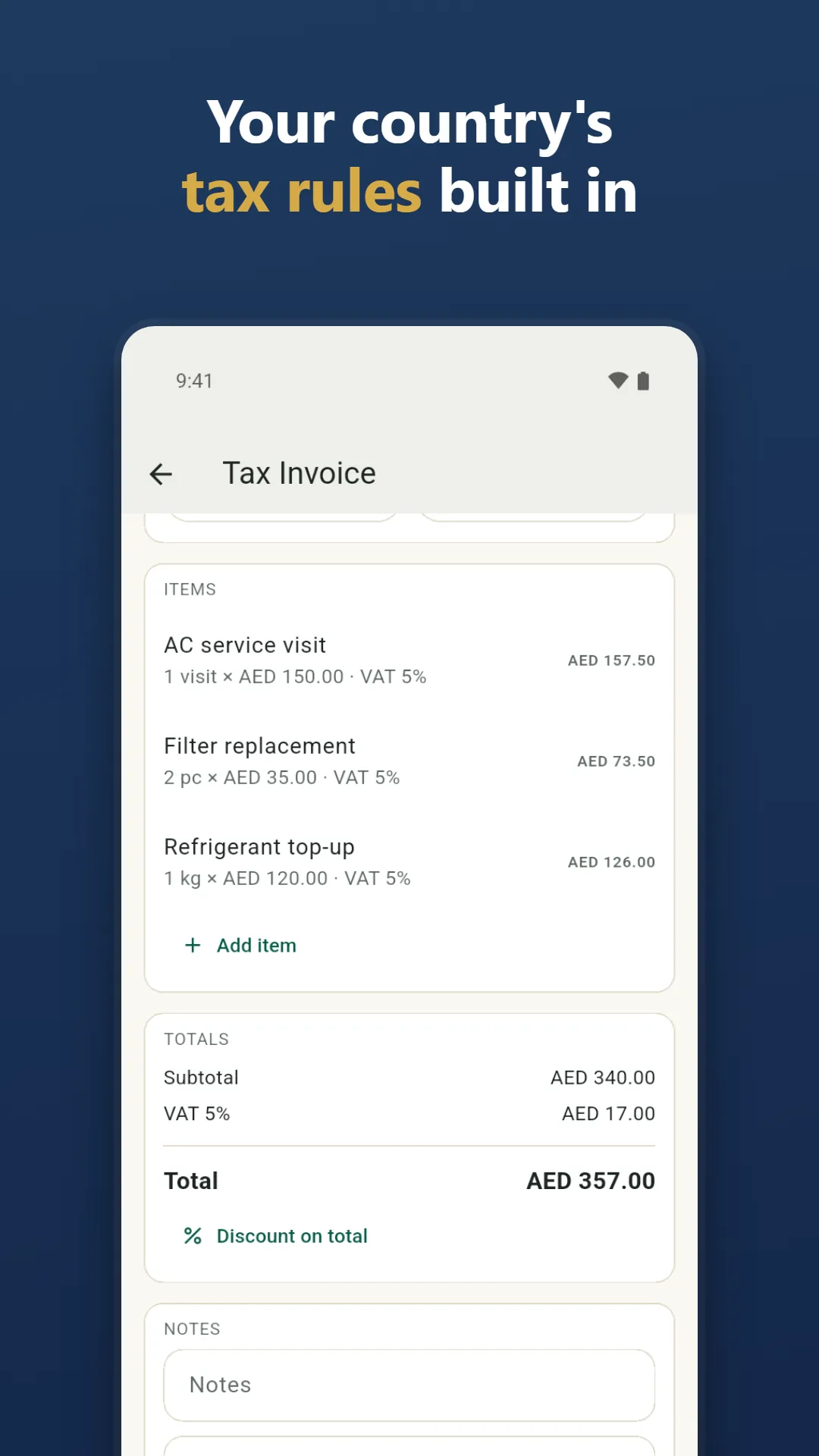
Invoices with your country's tax rules built in.
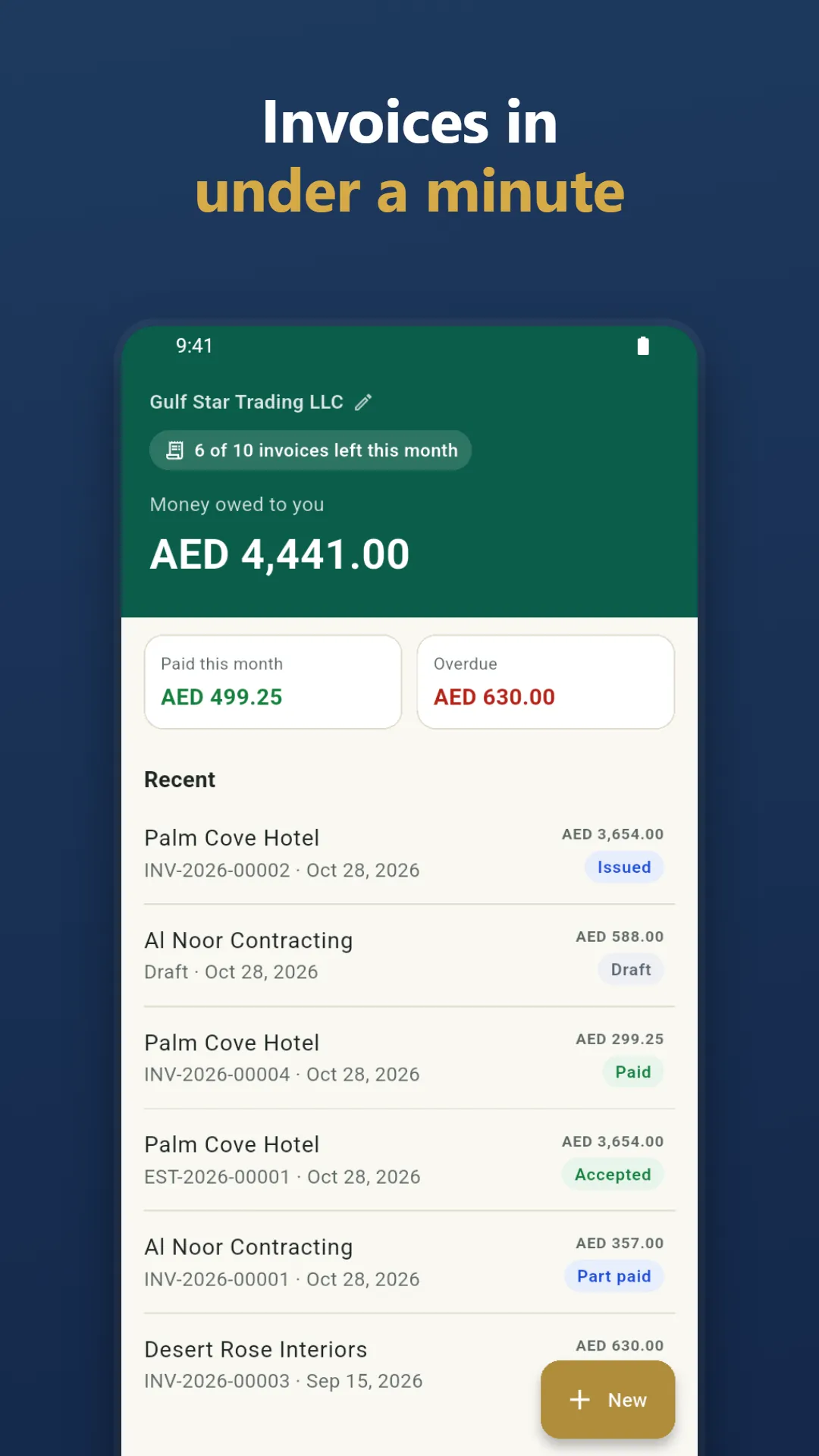
Invoices in under a minute – Make an invoice, estimate or receipt fast
Trailer coming soon
About Sezarr Invoice
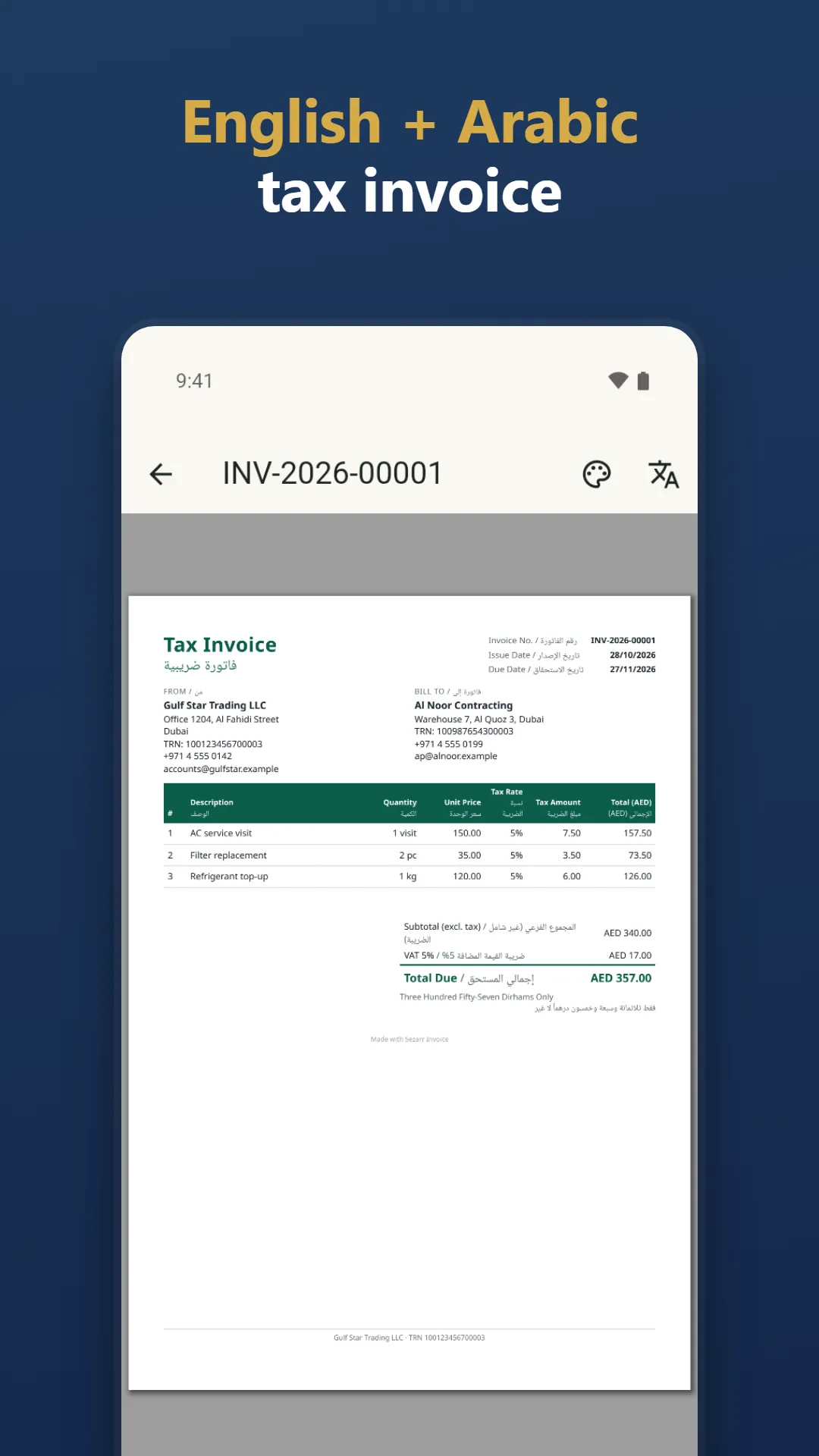
Make a professional invoice, estimate or receipt in under a minute, with your country's tax rules built in. Create a UAE VAT tax invoice with TRN, a Saudi tax invoice with its QR code, or a PDF in English and Arabic on one page. Works offline, no account needed.
Many invoice apps ask you to sign up first and stay vague about their limits. Sezarr Invoice needs no account, works offline and states its limits up front.
DOCUMENTS YOU CAN MAKE
- Invoice, estimate (quotation), receipt, proforma invoice, credit note, delivery note and purchase order
- Turn an estimate into an invoice in one tap, make a receipt from a paid invoice, duplicate any document
- Issued documents are locked and numbered without gaps; fix a mistake with a credit note
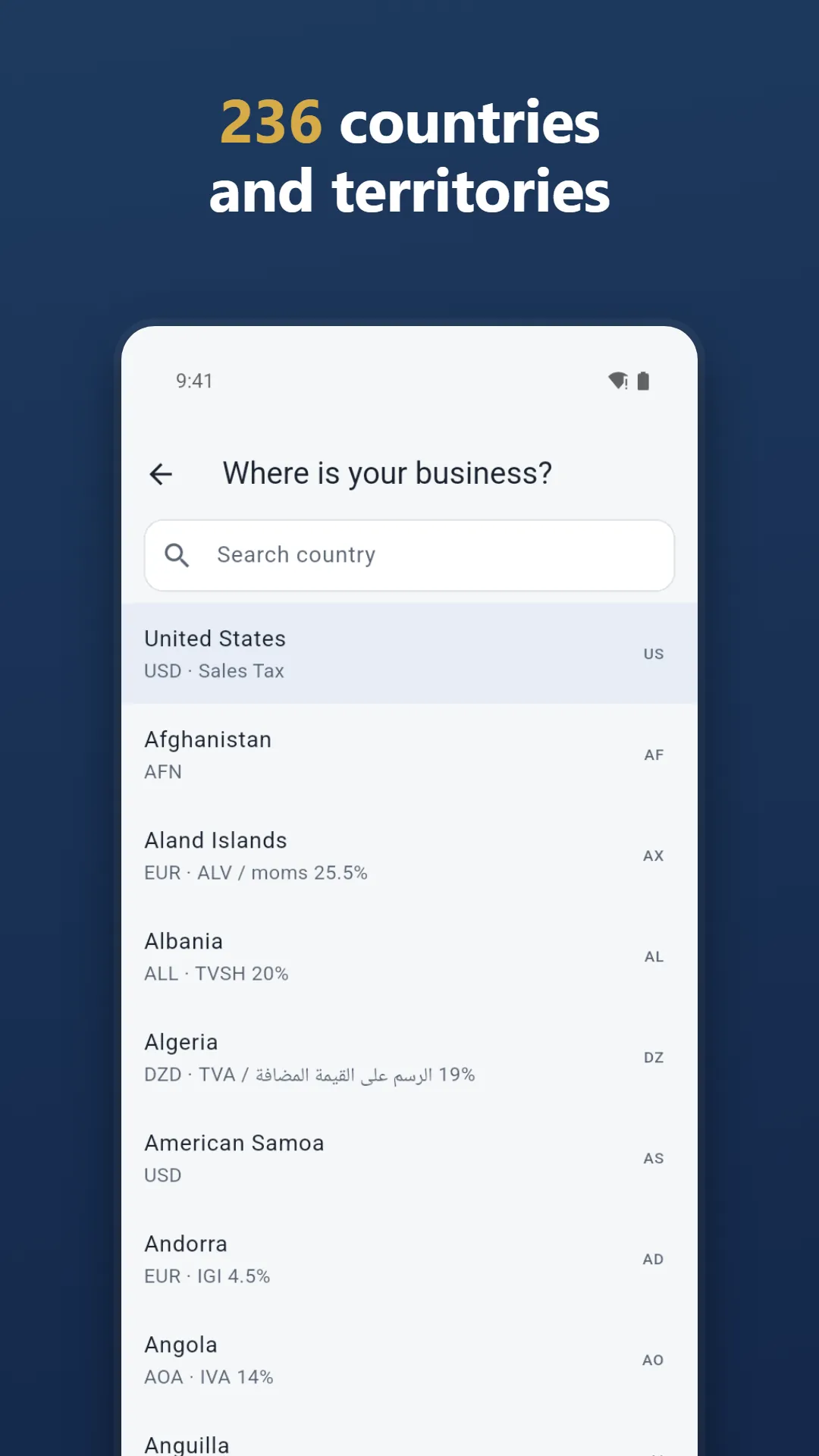
TAX RULES FOR 236 COUNTRIES AND TERRITORIES
Pick your country and the currency, tax name and rates, tax ID check, document wording and number formats are set for you. Prices with tax included or excluded, several taxes on one line (CGST, SGST and IGST in India; GST, HST, PST and QST in Canada), discounts and rounding.
UAE AND SAUDI ARABIA
- UAE VAT tax invoice with TRN, simplified tax invoice and tax credit note
- Foreign-currency invoice with VAT and totals in AED, the exchange rate and its source printed on the PDF
- Saudi tax invoice and simplified tax invoice with the Phase 1 QR code
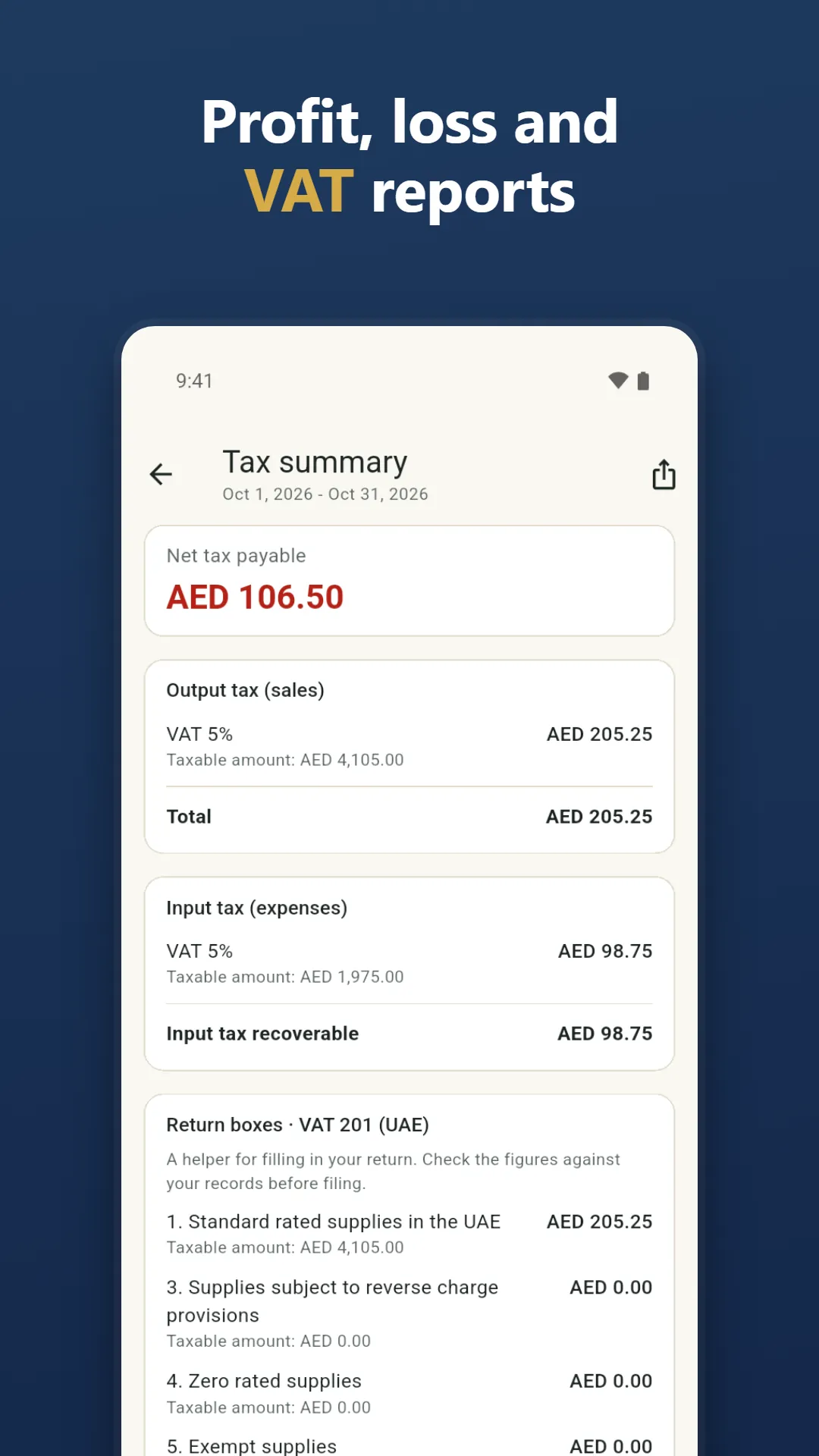
- VAT summary with the UAE VAT 201 boxes, a helper for filling in your return
BILINGUAL PDF, 62 APP LANGUAGES
Print English and Arabic on one page, or English next to your country's language. Choose the document language for each client from 22 languages; the document wording is translated into 66 languages. Amount in words in English and Arabic, Arabic-Indic digits and right-to-left layout. The app itself comes in 62 languages.
LOOK AND BRAND
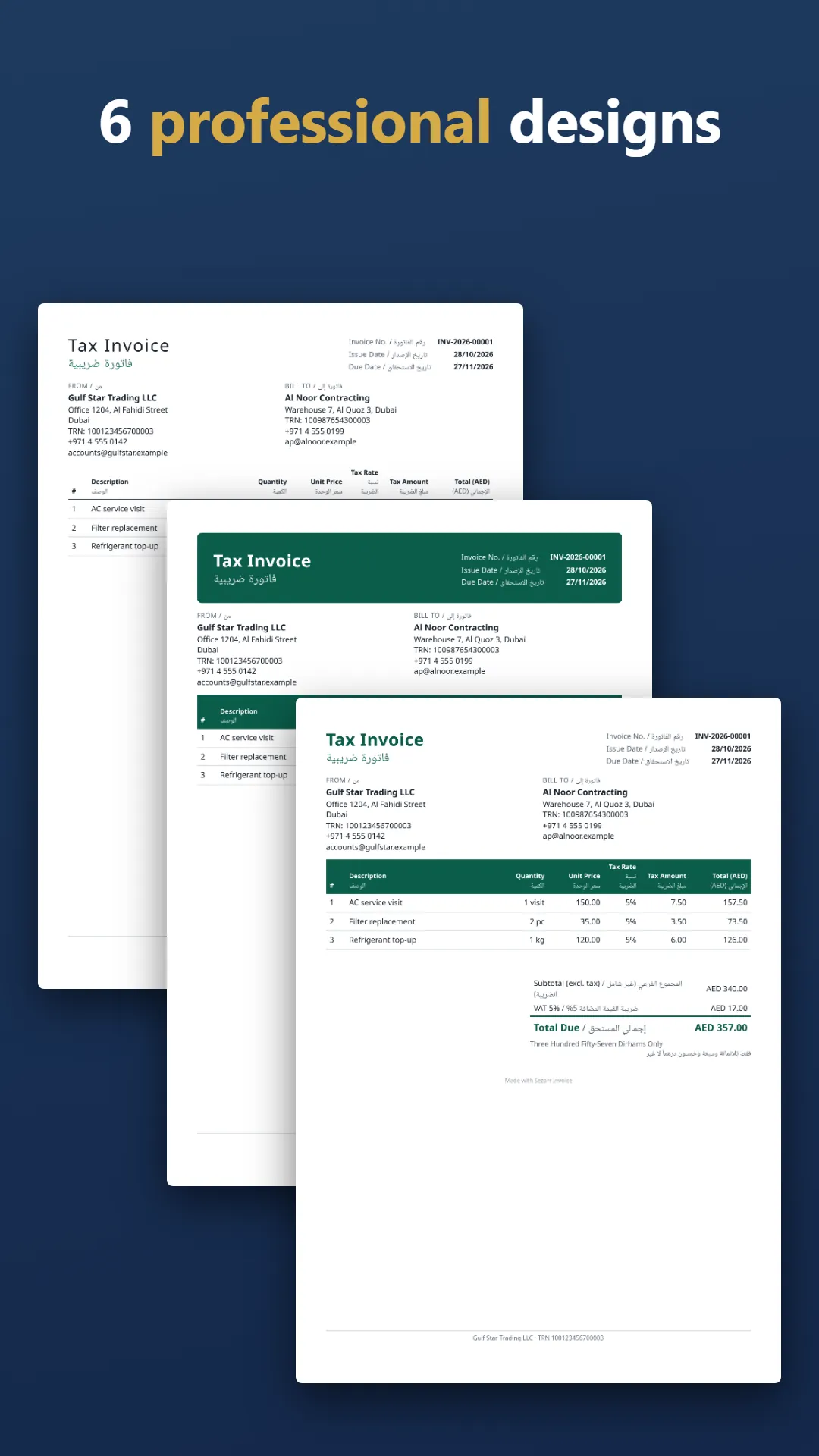
6 designs (3 without Pro), your logo, signature and company stamp, your bank details and your payment link as a QR code.
GET PAID AND KEEP TRACK
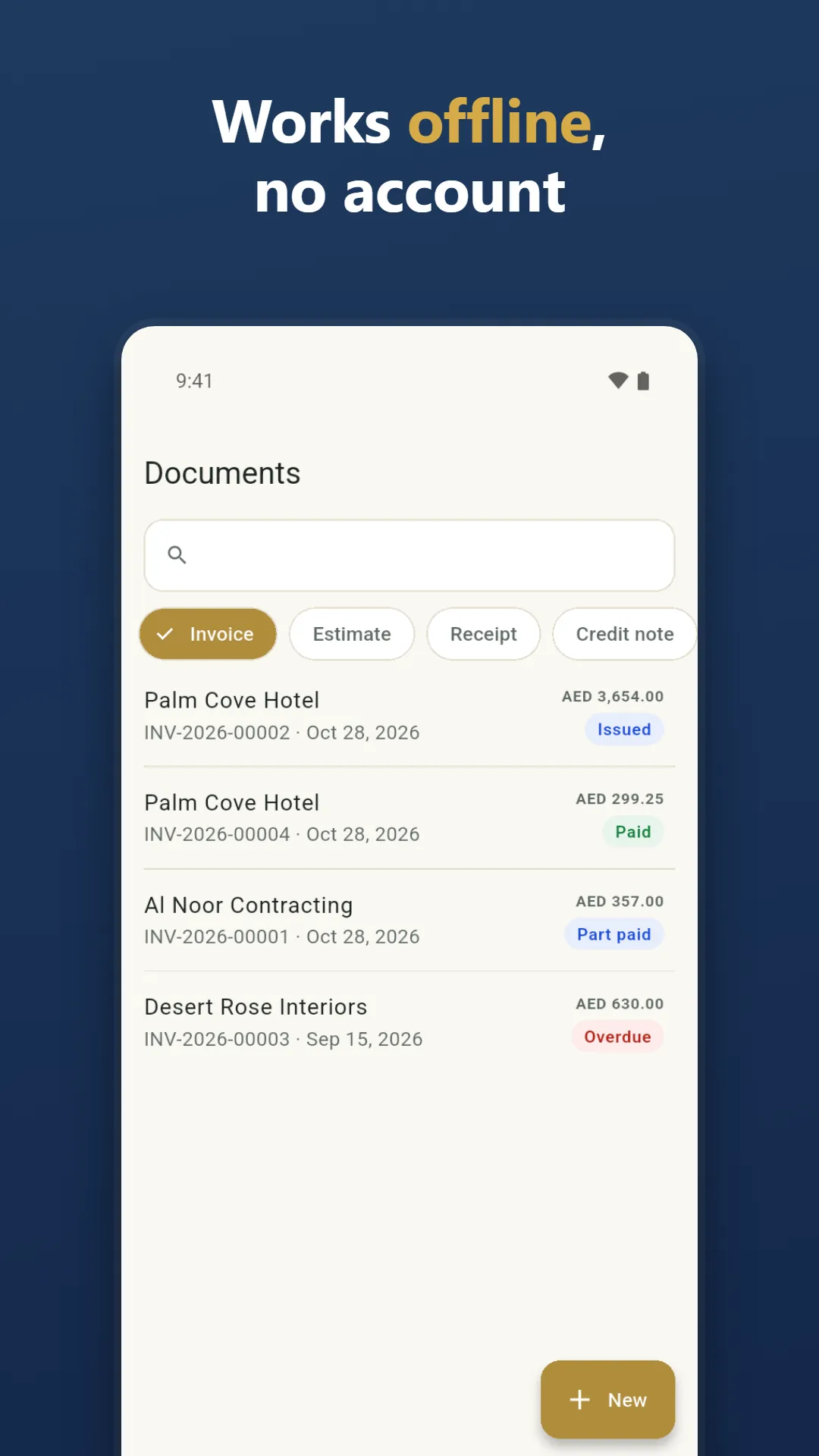
- Record cash, bank transfer, card, cheque and post-dated cheque payments, including partial payments
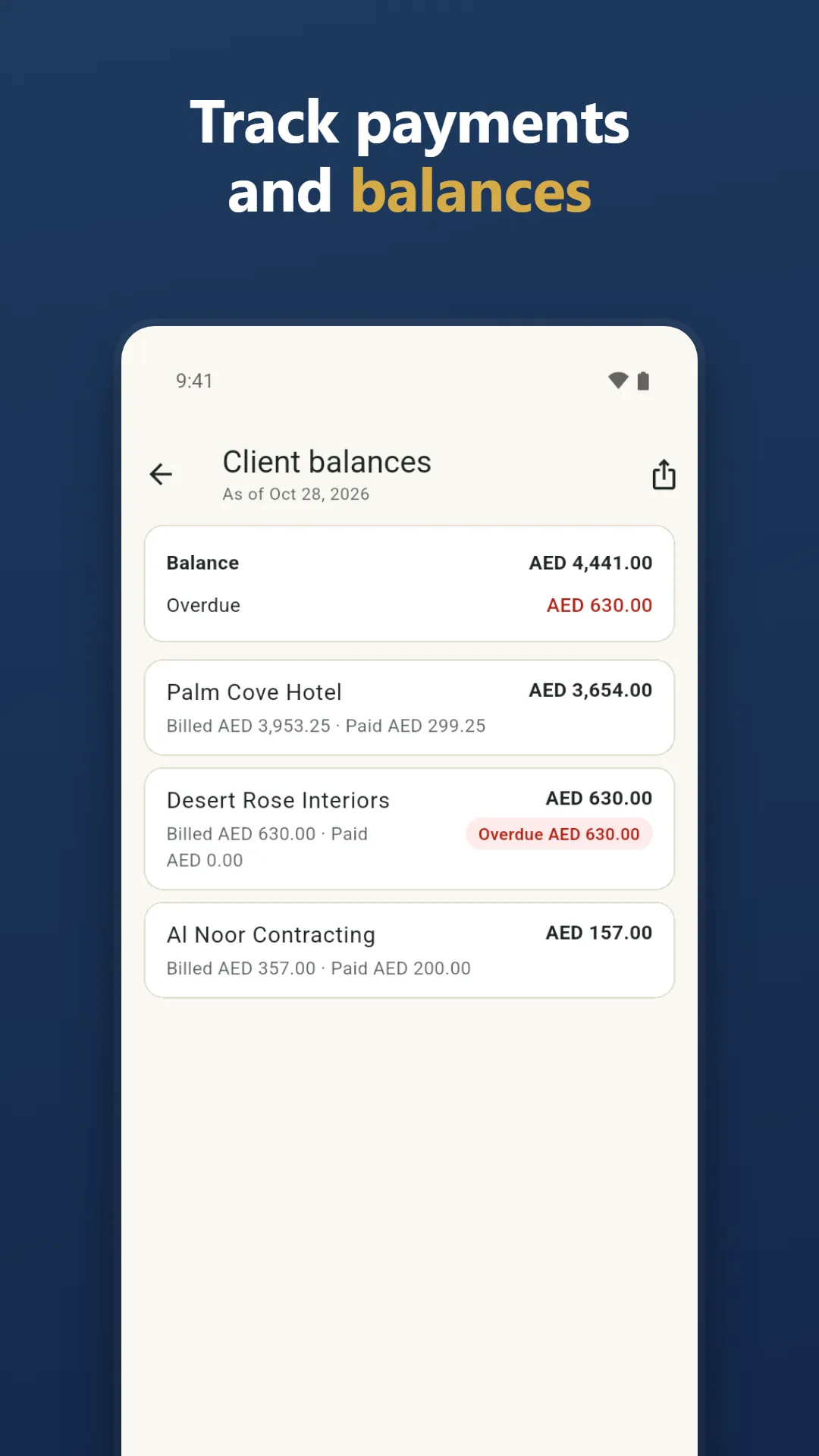
- Statuses: draft, sent, part paid, paid, overdue
- Clients with tax ID, currency, payment terms and invoice language
- Items and services with price and cost price
- Share the PDF on WhatsApp, by email or in any app
EXPENSES AND REPORTS
Add expenses with category, tax and a receipt photo. Reports: sales, profit and loss, VAT or tax summary, receivables aging, client balances and client statements, sales by client and by item.
PERFECT FOR
- Freelancers, tradespeople, shops and small agencies
- UAE and Saudi businesses sending VAT invoices on WhatsApp
- Quoting a job on site, then invoicing it
- A receipt for a cash payment
PRO, STATED PLAINLY
Without Pro: 10 invoices a month, 3 designs, 10 expenses a month, this month's reports. Pro: unlimited invoices and expenses, all 6 designs, your brand colour, no Sezarr Invoice line, reports for any period and CSV export. Pro is monthly, yearly (with a 7-day free trial when available) or lifetime. Prices are shown before you pay. Subscriptions renew until you cancel in Google Play. Not affiliated with any government or tax authority.
QUESTIONS AND ANSWERS
Can I make a UAE VAT tax invoice in Arabic and English?
Yes. Choose the United Arab Emirates, add your TRN and the PDF prints the tax invoice in both languages, with AED amounts and the exchange rate when you invoice in another currency. Q: Does it work offline? A: Yes. No account is needed. Your data is stored encrypted on your phone, and you can save an encrypted backup file. Q: Is it free? A: The free plan has 10 invoices a month; estimates, receipts and other documents are not counted. Free PDFs carry a small "Made with Sezarr Invoice" line. You can always view, share and export your own documents. Q: Does it have ads? A: No ads. Q: Does it send e-invoices to the tax authority? A: No. It makes PDF documents and does not submit anything to a tax authority. Check your local rules.