Make PDFs and photos fit the size a form asks for
Plain guides for the jobs people search for most: a PDF under 200 KB, a photo under 50 KB, MB to KB, merging and unlocking. Each one gives the exact steps in PDF Maker, our Android app, which does the work on your phone.

Guides
- Compress PDF to KB
Bring a PDF under 50 KB, 100 KB, 200 KB, 500 KB, 1 MB or any size, with what each size can hold.
- Photo and signature to KB
A photo or signature to 20, 50 or 100 KB, at the pixel size the form asks for.
- Exam photo and signature sizes
KB and pixel sizes for SSC, IBPS, SBI, RRB, UPSC, NEET, JEE Main, CUET UG, MPSC, PAN and passport.
- MB to KB converter
Convert MB, KB and bytes, and check whether a file fits a form's limit.
- Image to PDF and scan
Photos to a PDF, documents scanned to PDF, and both sides of an ID card on one A4 page.
- Merge and split PDF
Join PDFs in your order, split by page ranges, and reorder, turn or delete pages.
- Split PDF
Pull pages out of a PDF, or save every page as its own file. In your browser, nothing uploaded.
- Rotate PDF
Turn sideways pages the right way up and delete pages you don't need. In your browser.
- PDF to JPG
Each PDF page as a JPG image, at the quality you choose. In your browser, nothing uploaded.
- Unlock a PDF password
Save a copy without the password, when you know it. Includes the e-Aadhaar password format.
- Protect PDF
Add a password to a PDF (AES-256), in your browser. Nothing is uploaded.
- Add page numbers
Number the pages of a PDF: position, style, first number, skip the cover. In your browser.
- Watermark PDF
Stamp your own text across every page: diagonal or straight, light or strong. In your browser.
What PDF Maker does
PDF Maker is a toolbox for the paperwork people do on a phone: application forms, exam portals, bank and office uploads. These are the tools in the current version on Google Play:
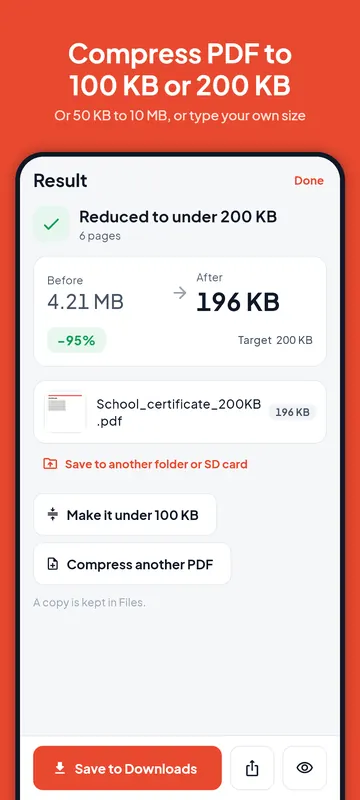
- Reduce PDF size to a target you choose: 50 KB, 100 KB, 200 KB, 300 KB, 500 KB, 1 MB, 2 MB or any size you type. Choose Best fit to the size or Keep text where possible.
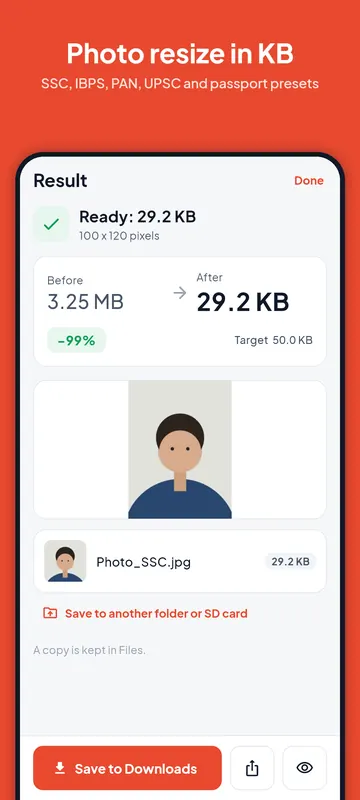
- Photo to KB: a photo or signature between a minimum and a maximum size in KB, at the pixel size a form asks for, with presets for SSC, IBPS, SBI, RRB, UPSC, NEET, JEE Main, CUET UG, MPSC, PAN and Passport Seva.
- Image to PDF and Scan to PDF (with Google's document scanner), and ID card on one page: both sides of a card on one A4 page at real size.
- Merge PDF, Split PDF and Organise pages (reorder, turn, delete), plus page numbers, your own watermark text and PDF to images (JPG or PNG).
- Sign PDF (draw, type or reuse a saved signature), Unlock PDF (a password you know), Text from image (Latin and Devanagari scripts), Passport photo with a print sheet, and image tools to convert JPG, PNG and WebP.
Free to use, with the limits stated up front
The free plan includes 5 size-target exports a day (Reduce PDF size, Photo to KB and Unlock PDF), 1 signed PDF a day, scans of up to 20 pages and files of up to 100 MB. Image to PDF, Merge, Split and Organise pages have no daily limit. The app adds no watermark of its own, and the app shows how many free exports are left before you start.
Pro is optional: a 7-day pass (one payment, no renewal), monthly, yearly or lifetime. It removes the daily limits and adds compressing many PDFs at once, shrinking many pictures at once, reading text from several pages, scans of up to 100 pages and files of up to 400 MB. Prices are shown in the app before you pay.
Your files stay on your phone
PDF Maker does its work on the phone. Your PDFs, photos and signatures are not uploaded, and there is no account or login. You pick files with Android's own file picker, so the app does not ask for storage, contacts or location permissions. Most tools work offline; scanning and reading text may need a connection the first time, while Google Play services downloads its model. The exam size list is downloaded from this website, and nothing about your files is sent with it.
Languages
The app itself is in English and Hindi today. These guides are written for each market, not machine-translated: हिंदी, Bahasa Indonesia, Português, Español, Türkçe, Français, Deutsch and العربية.
Questions
Is PDF Maker free?
It is free to use. Image to PDF, merge, split and organising pages have no daily limit. Size-target exports (PDF or photo to KB, unlock) are limited to 5 a day and signing to 1 PDF a day on the free plan; the optional Pro plans remove those limits.
Can I use these tools on this website?
Yes. Each guide has a tool at the top that works in your browser, and your files stay on your device: compress a PDF to a KB size (it keeps the text when it can), photo and signature to KB, images to PDF and PDF to JPG, merge, split and organise pages, unlock a PDF and the MB to KB converter. The app keeps the text when it compresses, works offline, and adds scanning, signing and the other tools above.
Is there an iPhone or computer version?
No. PDF Maker is an Android app, available through Google Play.