Exam and form photo and signature sizes
One table of the photo, signature, thumb and declaration sizes that PDF Maker's presets use, with the official notice behind each row and the date we last checked it.

Resize a photo to a KB size
Resize a signature
The tools above work in your browser: your files stay on your device and are not uploaded. The steps below are for PDF Maker, our Android app, which does the same on your phone, works offline and has more options.
The sizes
Sizes are in KB as the notices write them. "Up to" means there is no minimum. A dash under pixels means the notice sets no pixel size, so any reasonable size works as long as the KB range is met. All files are JPG.
| Exam or form | File | Size | Pixels (W × H) | Format | Source |
|---|---|---|---|---|---|
| SSC | Photo | 20–50 KB | 100 × 120 | JPG | Not matched to the current notice |
| SSC | Signature | 10–20 KB | – | JPG | Official notice |
| IBPS | Photo | 20–50 KB | 200 × 230 | JPG | Official notice |
| IBPS | Signature | 10–20 KB | 140 × 60 | JPG | Official notice |
| IBPS | Left thumb | 20–50 KB | 240 × 240 | JPG | Official notice |
| IBPS | Declaration | 50–100 KB | 800 × 400 | JPG | Official notice |
| SBI | Photo | 20–50 KB | 200 × 230 | JPG | Official notice |
| SBI | Signature | 10–20 KB | 140 × 60 | JPG | Official notice |
| SBI | Left thumb | 20–50 KB | 240 × 240 | JPG | Official notice |
| SBI | Declaration | 50–100 KB | 800 × 400 | JPG | Official notice |
| RRB | Photo | 20–70 KB | – | JPG | Not matched to the current notice |
| RRB | Signature | 30–49 KB | 140 × 60 | JPG | Official notice |
| UPSC | Photo | 20–200 KB | – | JPG | Not matched to the current notice |
| UPSC | Signature | 20–100 KB | – | JPG | Not matched to the current notice |
| NEET | Photo | 10–200 KB | – | JPG | Official notice |
| NEET | Signature | 10–100 KB | – | JPG | Official notice |
| NEET | Thumb and fingers | 50–200 KB | – | JPG | Not matched to the current notice |
| PAN | Photo (UTIITSL) | up to 30 KB | 213 × 213 | JPG | Not matched to the current notice |
| PAN | Signature (UTIITSL) | up to 60 KB | 400 × 200 | JPG | Not matched to the current notice |
| PAN | Photo (NSDL) | up to 20 KB | 197 × 276 | JPG | Official notice |
| PAN | Signature (NSDL) | up to 10 KB | 354 × 157 | JPG | Official notice |
| Passport | Photo | 10–250 KB | 630 × 810 | JPG | Not matched to the current notice |
| JEE Main | Photo | 10–200 KB | – | JPG | Official notice |
| JEE Main | Signature | 10–100 KB | – | JPG | Official notice |
| CUET UG | Photo | 10–200 KB | – | JPG | Official notice |
| CUET UG | Signature | 10–50 KB | – | JPG | Official notice |
| MPSC | Photo | up to 50 KB | – | JPG | Official notice |
| MPSC | Signature | up to 50 KB | – | JPG | Official notice |
How to read the Source column. "Official notice" links to the recruitment notice or official instruction page we matched the row to on 26 October 2026. "Not matched to the current notice" means the size comes from public summaries or an older notice, and we could not confirm it in the notice that applies now. For those rows in particular, open your own notice before you upload.
Use a preset in the app
- Open PDF Maker and tap Photo to KB.
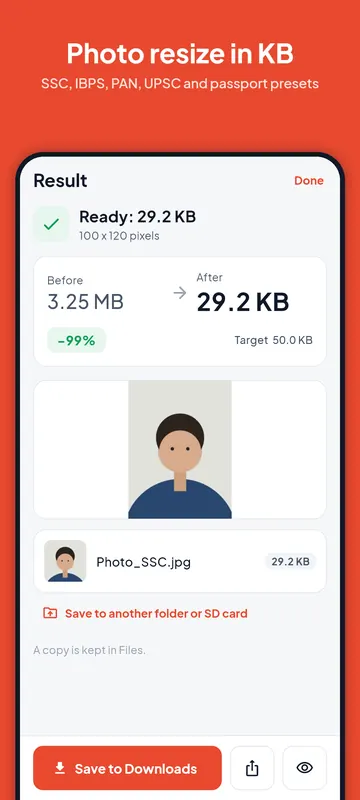
- Choose the photo, then open Size preset and pick the exam and the file (photo, signature, left thumb or declaration).
- Read the note under the preset: it shows the date the size was last checked and asks you to compare it with your notice.
- If your notice differs, tap Edit the limits, change the numbers, and save them to the preset or as a new one.
- Tap Make it … and share the result to the form.
The app downloads this same list from mirzagames.com when it can, so a size we correct here reaches the app without an update. Without a connection it uses the list built into the app.
Why sizes differ between notices
Each recruitment or exam notice sets its own rules, and boards change them from one year to the next. The same exam can ask for 20 to 50 KB one year and a different pixel size the next. That is why every row has a date and a source, and why the app lets you edit any preset. The full step-by-step for photos and signatures is in the photo to KB guide.
PDF Maker is not connected to any exam board or government body. This table is a convenience, not an official list.
Questions
What is the photo size for IBPS and SBI forms?
In the notices we checked, 20 to 50 KB at 200 × 230 pixels for the photo, 10 to 20 KB at 140 × 60 pixels for the signature, 20 to 50 KB at 240 × 240 pixels for the left thumb impression, and 50 to 100 KB at 800 × 400 pixels for the handwritten declaration.
What is the PAN card photo and signature size?
For the NSDL (Protean) form: photo up to 20 KB at 197 × 276 pixels and signature up to 10 KB at 354 × 157 pixels. The UTIITSL sizes in the table come from public summaries and are marked as not matched.
How often is this list checked?
The date above the table is the last full check. When we find a notice that changes a size, we update the list here, and the app picks it up.