Image to PDF: turn photos and scans into a PDF
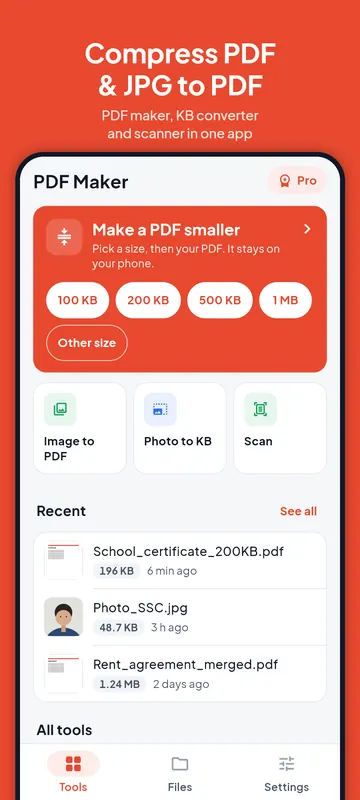
Three ways to make a PDF from pictures with PDF Maker: from photos you already have, from the camera with Google's document scanner, or as an ID card copy with both sides on one A4 page.

Images to PDF
PDF to JPG
The tools above work in your browser: your files stay on your device and are not uploaded. The steps below are for PDF Maker, our Android app, which does the same on your phone, works offline and has more options.
Photos to PDF
- Open PDF Maker and tap Image to PDF.
- Tap Add photos (or Add files) and pick JPG, PNG or WebP pictures. You can also share pictures to the app from your gallery or WhatsApp.
- Drag the pictures into order. Each picture becomes one page.
- Choose the Page size: A4, Letter, or Fit picture (each page takes the size of its picture). Choose a Margin (none, small, medium or large) and the Quality: High, Medium or Low. Lower quality means a smaller file.
- Tap Create PDF, then save or share it.
If a form needs the PDF under a size such as 200 KB, open the new PDF in Reduce PDF size afterwards; the compress guide explains how.
Scan documents to PDF
Scan to PDF opens the document scanner built into Google Play services. Point the camera at the page: the scanner finds the edges, straightens the page and cleans it up. Scan several pages into one PDF, or add pictures from your gallery inside the scanner. The free plan scans up to 20 pages per file, Pro up to 100. The pictures stay on your phone.
The scanner needs Google Play services. The first time, it may need a connection to download its model; after that it works offline.
ID card on one A4 page
Offices often ask for a copy of a card with the front and back on one page. Tap ID card on one page, add the front and the back (scan them or choose photos), turn them if needed, and tap Make the A4 page. Both sides are placed at the real card size, 85.6 × 54 mm. Print at 100 percent, not "fit to page", and each side comes out at that size.
Making the page is free with no daily limit. If a form wants it under a size, switch on Make the file smaller too: that uses one of your free size-target exports, and only when it reaches the size.
Free with no daily limit
Image to PDF is free on every plan with no daily limit, and the app adds no watermark. Scans are free up to 20 pages per file.
Questions
Which picture formats can I turn into a PDF?
JPG, PNG and WebP.
Can I make the PDF smaller than 200 KB?
Choose Low quality when you create it, or reduce the finished PDF to the exact size with Reduce PDF size.
Does the scanner upload my documents?
No. The scanner runs on the phone through Google Play services, and the pictures stay on your phone.
What if my phone cannot run the scanner?
The scanner needs Google Play services. Without it, take photos with the camera app and use Image to PDF.