Fill in a PDF form on your phone
Many application, tax and bank forms are PDFs with fields to type into. PDF Maker fills them on your Android phone: type the answers, tick the boxes, lock them if you like, and sign. The form is not uploaded.

These steps are for PDF Maker, our Android app. The app does the work on your phone; this web page does not touch your files.
How to fill a PDF form
- Open PDF Maker and tap Fill PDF form in the Scan & sign group, then choose the form.
- The app lists the form's fields. Type into text fields, tick checkboxes and pick options from lists.
- Turn on Lock the answers if the form should not be changed after you send it: the answers are drawn into the page.
- Tap Save filled form, then share or save the copy. Your blank original stays as it was.
Signing the form
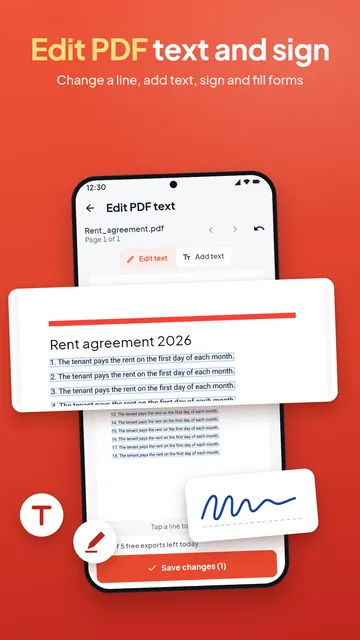
A signature field is signed with Sign PDF: fill in the form first, save it, then open the filled copy in Sign PDF and place your signature on the line.
If the PDF has no fields
Many forms are just printed pages saved as PDF, with lines but no fields. The app then tells you there is nothing to fill. Use Edit PDF and its Add text mode to type on the lines instead, or Annotate PDF to write in any script.
Some government forms are made in XFA, a format only one desktop PDF reader can fill. PDF Maker tells you when a form is XFA, so you do not fill it in for nothing.
Tips
- Fields marked read only cannot be changed; they are shown but skipped.
- Keep an unlocked copy if you may need to correct an answer later. Flatten PDF in the app also locks forms and notes into the page.
- Filling forms has no daily limit and runs on your phone.
Questions
How do I fill a PDF form on my phone?
Open PDF Maker, tap Fill PDF form, choose the form, type your answers and tap Save filled form.
Can I sign the form after filling it?
Yes. Open the filled copy in Sign PDF and place your signature.
Why can I not type into my PDF form?
The PDF may have no form fields (it is a printed page saved as PDF) or be an XFA form. Use Add text in Edit PDF to type on the lines.
Can the answers be changed later?
Yes, unless you turned on Lock the answers. Locked answers are drawn into the page and can no longer be edited.