Make a passport size photo on your phone
PDF Maker turns a photo from your phone into a passport size photo: it places the face in the guide, makes the background white, cuts the photo to the exact size, and adds a 4 x 6 inch sheet with several copies to print. It all happens on your Android phone.

These steps are for PDF Maker, our Android app. The app does the work on your phone; this web page does not touch your files.
How to make a passport size photo
- Open PDF Maker and tap Passport photo in the Photo group.
- Choose a photo of your head and shoulders, taken straight on against a plain wall in good light.
- Pick the size: India 35 x 45 mm, India 2 x 2 inch, US 2 x 2 inch, UK 35 x 45 mm, Schengen 35 x 45 mm, UAE visa 43 x 55 mm, Saudi visa 2 x 2 inch or Saudi ID 4 x 6 cm.
- The app finds your face and places it inside the oval with the eyes on the line. Drag or pinch to fine-tune it.
- Leave White background on to make everything behind you plain white, and choose how many Copies on the 4 x 6 inch sheet you want.
- Tap Make the photo and the print sheet.
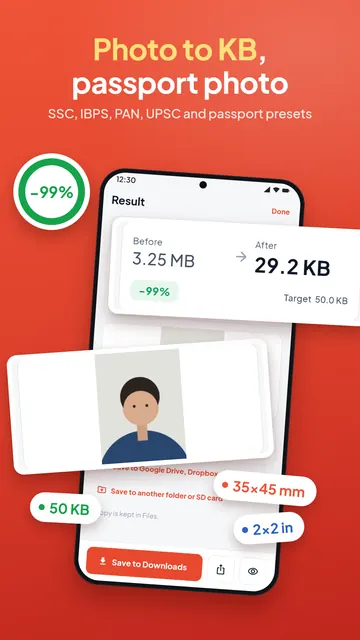
Two files: one to upload, one to print
The single photo is cut at the exact pixel size, with the dpi written into the file. Upload that one to an online application. If the form also has a KB limit, open it in Photo to KB next.
The print sheet is a 4 x 6 inch page with several copies. Print it at 100 percent, without "fit to page", at a photo shop or on a home photo printer, and cut the copies out.
The white background
The app finds you in the photo on the phone and makes everything behind you white, so a photo taken at home can work. Check the edges of your hair before you print. It uses Google Play services; the first time, the tool may still be downloading, and then only a light wall is made white until it is ready.
Check the rules for your application
Each size in the app comes with a short note (for example, the face should fill about 80 to 85 percent of an India passport photo). Offices change their rules, so check the official notice for your application before you submit. PDF Maker is not connected to any passport office or embassy.
Questions
How do I make a passport size photo on my phone?
Open PDF Maker, tap Passport photo, choose your photo and the size, check the face in the guide and tap Make the photo and the print sheet.
What is the passport photo size in India?
35 x 45 mm with a white background for the passport; some visas and OCI ask for 2 x 2 inch. Both are in the app. Check the current notice for your application.
Can I change the background to white?
Yes. Leave White background on: the app makes everything behind you plain white. Check the edges of your hair.
How many photos fit on one print?
The app shows how many copies fit on the 4 x 6 inch sheet for the size you chose, and you pick the number.
Is my photo uploaded?
No. The photo is made on your phone.