Convert Word to PDF on your phone
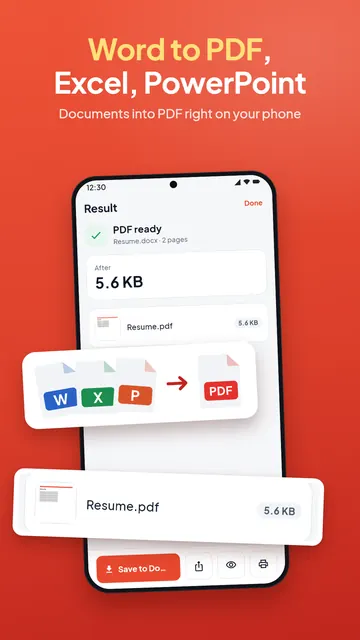
Forms, offices and portals ask for PDF, not Word. PDF Maker turns a .docx into a PDF on your Android phone, keeping the layout, tables and pictures. The file is not uploaded, and Word to PDF has no daily limit.

These steps are for PDF Maker, our Android app. The app does the work on your phone; this web page does not touch your files.
How to convert Word to PDF
- Open PDF Maker and tap Word to PDF in the Convert group.
- Tap Choose a document and pick the .docx file: from your phone, an email attachment you saved, or Google Drive, Dropbox or OneDrive through Android's file picker.
- Tap Convert to PDF.
- Open, share or save the PDF. If it must be under a size such as 200 KB, open it in Reduce PDF size next.
What the PDF keeps
The page size, margins, paragraph styles, fonts, bold and italic, lists, tables and pictures of the document. Text in Hindi, Arabic, Chinese, Japanese, Korean and other scripts is shaped correctly, because the phone's own text engine lays out the pages. Fonts are matched to the closest ones on the phone, so a rare font can look slightly different.
A few things are left out, and the app tells you when they were: charts, SmartArt and embedded objects, pictures in a format phones cannot show, and page headers and footers. To add page numbers or a footer afterwards, use Add page numbers or Header & footer in the app.
Which files work
- Word: .docx, .docm and .dotx.
- Text: with Text to PDF, a .txt, .md or .log file becomes a clean PDF.
- Old .doc files (Word 97-2003) are not converted. Open the file in a word processor, save it as .docx, then convert it.
- A document locked with a password needs the password removed in the word processor first.
Spreadsheets and slides have their own guides: Excel to PDF and PowerPoint to PDF.
On your phone, with no upload
The document is converted on the phone. It is not uploaded, you do not need an account, and Word to PDF has no daily limit.
Questions
How do I convert a Word document to PDF on my phone?
Open PDF Maker, tap Word to PDF, choose the .docx file and tap Convert to PDF. Then save or share the PDF.
Does Word to PDF keep the formatting?
Yes: page size, margins, fonts, tables, lists and pictures. Charts, SmartArt and page headers and footers are left out, and the app says so.
Can I convert a .doc file to PDF?
Not directly. Save the old .doc file as .docx in a word processor, then convert it.
Does it work with Hindi or Arabic text?
Yes. The phone's text engine draws the pages, so Hindi, Arabic and other scripts are shaped correctly.
Is my document uploaded?
No. It is converted on your phone and never leaves it unless you share it.